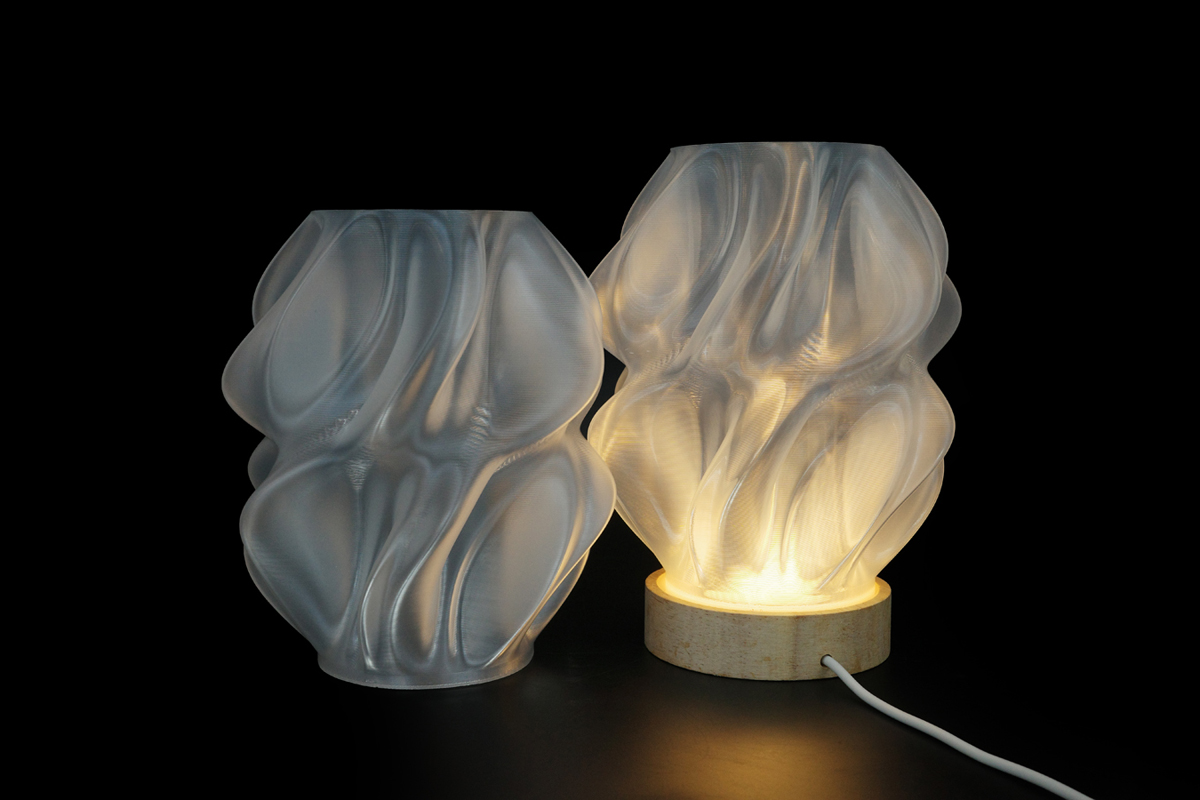
Have you ever printed with Clear PLA only to have it turn out frosty, matte, or translucent white instead of beautifully glossy and transparent?
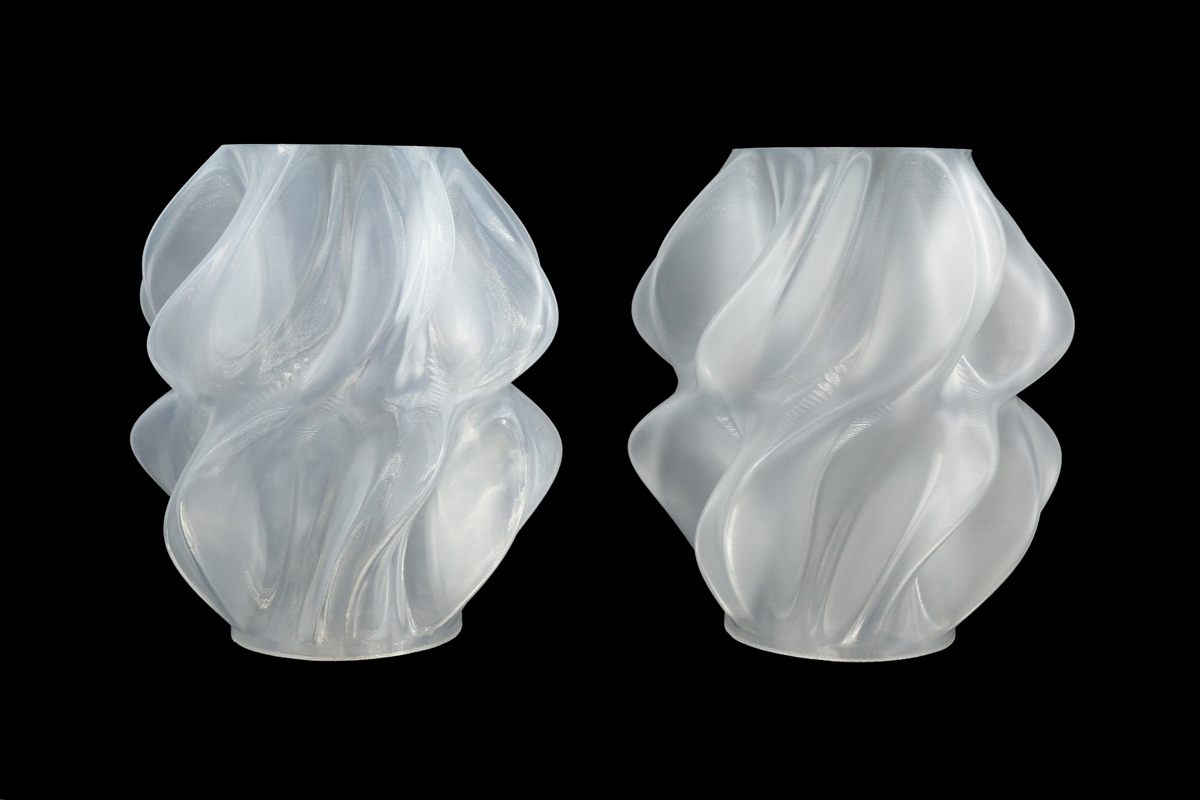
As shown in the comparison images above, the exact same filament can yield two entirely different results: one looking like frosted, matte glass (right) and the other achieving a highly reflective, semi-transparent, and shinier finish (left).
The secret doesn’t lie in a specialized filament—it lies entirely within your slicer settings. If you are looking to maximize the light transmission and shine of your 3D printed lampshades or vases, use these three tuning tricks.
1. Increase Your Layer Height
It might seem counterintuitive since smaller layer heights are usually equated with higher quality, but smaller layers are the enemy of transparency.
- The Science: Smaller layer heights create far more interlayer boundaries (the gaps between layers). Every single boundary acts as a microscopic prism, scattering light in all directions and producing a cloudy, frosted look.
- The Trick: Use larger layer heights to minimize the number of interfaces.
- Recommended Settings: Set your layer height to 0.24mm or 0.28mm (when using a standard 0.4mm nozzle).
2. Turn Down the Cooling Fan
Standard PLA loves aggressive cooling, but clear PLA requires a different approach if you want it to look glass-like.
- The Science: When your part cooling fan runs at 100%, the extruded plastic solidifies instantly upon leaving the nozzle. This rapid cooling traps micro-textures on the surface, making the final print look like a foggy, matte finish.
- The Trick: Reduce the fan speed to let the material cool down more gradually. This allows the layers to fuse together more thoroughly, creating a smoother crystalline structure.
- Recommended Settings: Restrict your part cooling fan speed to 30% – 50%.
3. Drop Your Outer Wall Print Speed
Speed is another major factor determining surface finish. Printing too fast compromises how cleanly the plastic lays down.
- The Science: Fast outer wall movements introduce microscopic vibrations and uneven extrusion textures. The smoother and flatter the outer wall is, the less light is disrupted or distorted as it passes through.
- The Trick: Force the printer to take its time on the visible skin of the model.
- Recommended Settings: Lower your outer wall printing speed to 30–50 mm/s.
Summary Checklist for Glass-Like Prints:
- Layer Height: 0.24mm – 0.28mm
- Fan Speed: 30% – 50%
- Outer Wall Speed: 30 – 50 mm/s
By dialing in these settings, you will drastically decrease light scattering, melt your layers together more seamlessly, and unlock the shiny, semi-transparent potential hidden inside standard Clear PLA!
Get Perfect Clear Prints with FacFox
Don’t want to spend hours troubleshooting your slicer settings or risking a failed print? Let the experts handle it! At FacFox, we offer professional 3D printing services tailored to your aesthetic needs. Whether you are looking for expertly tuned Clear PLA printing services for a stylized FDM look, or need optical-grade clarity with our high-end clear resin printing service (SLA/PolyJet), we have the technology to bring your translucent designs to life perfectly. Upload your models to FacFox today and get an instant quote!