
How can I upload 3D model for manual review?
You should upload your file to FacFox in order to get an accurate quote in all eligible materials, to check models’ printability. You’ll need to signup for an account if you want to upload your own files.
To do this, log in to your account, hover over the Make button on the top right and click on UPLOAD NOW. You can also head straight to the upload page.
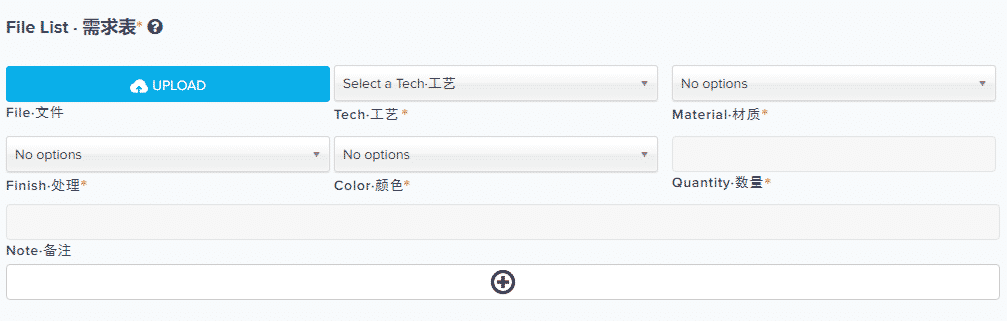
Click the UPLOAD button, this way a dialogue will pop up. Select the file you want to upload, this file be start uploading right away.
- You can upload zip/rar file to request multiple parts with same material and process.
- You can click + button to add more rows with other materials/processes.
FILE TYPES
You can upload the following file-types:
DAE, OBJ, STL, X3D, X3DB, X3DV, WRL
For textured files (to print in full color materials), upload a ZIP folder containing the 3D file and the texture file in one of the acceptable formats:
3D files: DAE, WRL, X3D, X3DB, X3DV
Texture files: GIF, JPG, PNG
Make sure the ZIP folder contains these files only, and that they’re not in an extra folder within the ZIP folder.
SIZE LIMITS
We can only accept files that are smaller than 200 MB. If your file exceeds this limit, consider either compressing the file to a ZIP folder, and/or reducing the polygon count of your model.